Does WebP Support Transparency?
Yes. WebP supports transparency through an alpha channel, in both its lossless and its lossy mode. That means you can save a cut-out subject as a transparent WebP, and it is usually a smaller file than the same cut-out as a PNG. The catch is not the format. It is the apps that only accept JPG, PNG or GIF.
Can WebP have a transparent background?
A WebP can have a transparent background, but only if the pixels around the subject are stored as see-through. The format does not create that on its own. If you convert a product photo with a white wall to WebP, the white wall comes along, because it was never separate from the subject.
The background has to be cut out first. After that, saving the cut-out as WebP keeps the transparency, the same way saving it as PNG does. Google's WebP page lists both modes: lossless WebP supports transparency, also known as alpha channel, and lossy WebP supports it too.
Browsers handle it too. Under lossy, lossless and alpha support, the WebP FAQ lists Chrome, Edge 18+, Firefox 65+ and Safari 14+ (iOS 14+, macOS Big Sur+).
How the WebP alpha channel works
An alpha channel is a fourth value stored next to red, green and blue for every pixel. It says how much of the background should show through that pixel, from fully see-through to fully solid. Values in between give soft edges around hair, curves and shadows. If you want the full definition, we cover it in what a transparent PNG is; WebP uses the same idea.
Google's compression documentation describes WebP transparency as an 8-bit alpha channel, which it calls useful for graphical images. So each pixel has 256 levels of opacity, enough for smooth edges.
Does lossy WebP keep transparency?
Yes. A lossy WebP keeps its alpha channel, so a cut-out stays see-through while its colors are compressed to save space, which PNG cannot do. Lossless means the pixels are stored exactly; lossy means the colors are approximated to make the file smaller.
WebP lets you combine them. Google states that the alpha channel can be used along with lossy RGB, and that this is a feature currently not available with any other format. The result is a lossy WebP with transparency: colors compressed to save space, with a cut-out that stays see-through.
Lossy compression changes colors slightly, so it suits photos of products, people and objects, where a faint loss of detail is not visible. Flat logos, text and thin lines are better saved as lossless.
Is a transparent WebP smaller than a PNG?
Usually, yes. By Google's figures, lossless WebP is 26% smaller than PNG, and lossy WebP with transparency is typically 3× smaller than PNG. These are the format's authors describing their own results, not a test of your files:
- Lossless WebP: Google says lossless images are 26% smaller than PNGs.
- Lossless with transparency: Google says transparency costs just 22% additional bytes.
- Lossy with transparency: Google says lossy WebP with transparency typically gives 3× smaller file sizes compared to PNG.
These are averages and typical cases, so we also saved one of our own cut-outs, a 480 × 600 coffee cup, all three ways. The PNG came to 85,802 bytes (about 86 KB). Lossless WebP came to 49,668 bytes (about 50 KB), 42% smaller. Lossy WebP at quality 80 came to 10,576 bytes (about 11 KB), roughly 8 times smaller than the PNG, and the cut-out stayed transparent in all three.
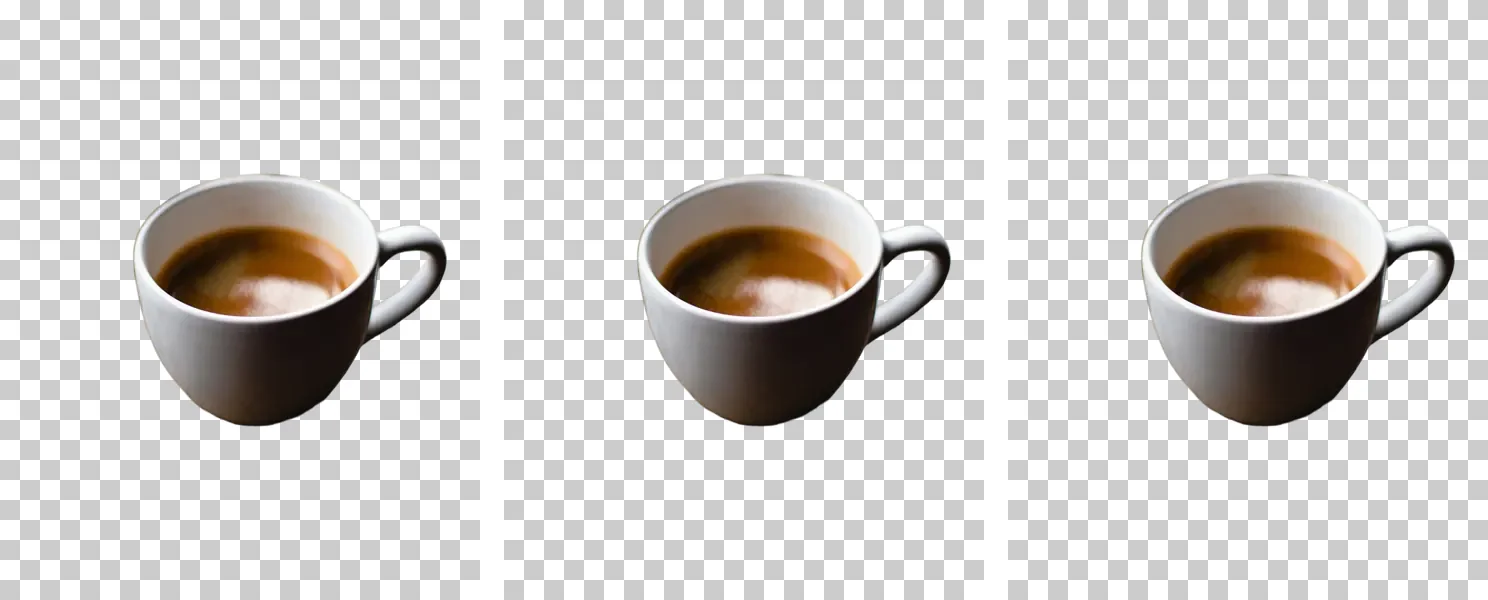
That is one image, saved with Pillow 12.1 and libwebp 1.6.0, so treat it as an example, not a rule. Compare the saved sizes of your own files before you switch a whole catalog.
| PNG | Lossless WebP | Lossy WebP | |
|---|---|---|---|
| Transparency | Yes | Yes | Yes |
| Compression | Lossless | Lossless | Lossy color, with alpha |
| Google's size figure vs PNG | Baseline | 26% smaller | Typically 3× smaller (with transparency) |
| Our 480 × 600 cut-out | 86 KB | 50 KB | 11 KB |
| Best for | Editing masters, apps that only take PNG | Web images that must stay pixel-exact | Web photos where small files matter |
Smaller files matter most on pages that show many cut-outs, such as a store with dozens of product images.
Where WebP transparency works
On the web, almost everywhere. MDN lists Chrome, Edge, Firefox, Opera and Safari as supporting WebP, and describes it as an excellent choice for images and animated images. The caniuse site puts global usage of browsers that support WebP at 97.18%, from StatCounter GlobalStats for September, 2026.
That covers a product page, a blog post or a banner. If the image only needs to display in a browser, a transparent WebP is a safe choice.
Where to be careful
Support in a browser does not mean support everywhere. Plenty of upload forms and apps were built around JPG, PNG and GIF and still list only those.
A concrete case is a slide background in Google Slides. Google's help page says the image must be a .gif, .jpg, or .png, so a WebP cannot be used as that background. If you hit a similar message elsewhere, check the format list before blaming the file.
The fix is easy: export the same cut-out as a PNG. Our guide on JPG vs PNG for a transparent background covers the other common format question.
When should you keep PNG instead of WebP?
Keep PNG when the place you upload to doesn't accept WebP, when you will keep editing the cut-out, or when one file has to work everywhere. In detail:
- An app only accepts PNG. If the upload form or editor lists PNG and not WebP, use PNG.
- You are editing further. Keep a lossless PNG of the cut-out as your master, then export WebP copies for the web.
- You want one file for every destination. MDN says PNG is preferred when transparency is needed, noting that WebP provides better compression but browser support is more limited.
A simple habit works well: save the PNG as the original, and add a WebP only where file size matters.
How to save a transparent WebP
Drop your photos into the PNG background remover. The AI cuts out the subject, and the Output menu defaults to Transparent PNG. Choose Transparent WebP there when you want the smaller file, or keep PNG for the safe one.
Touch up (the pencil button) lets you erase leftover background or restore a part that was cut off. It works on one photo or a batch, free for up to 40 images per batch with no sign-up and no watermark. Photos never uploaded.
The short version
WebP supports transparency in lossless and lossy modes, and lossy WebP with alpha is something PNG cannot offer. Use it for web pages where file size matters, and keep PNG for apps that do not list WebP. Need a cut-out now? The PNG background remover saves either format in a few seconds.